
Previous articles
iDATA Italy Visa Appointments: Official Steps and Student Preparation
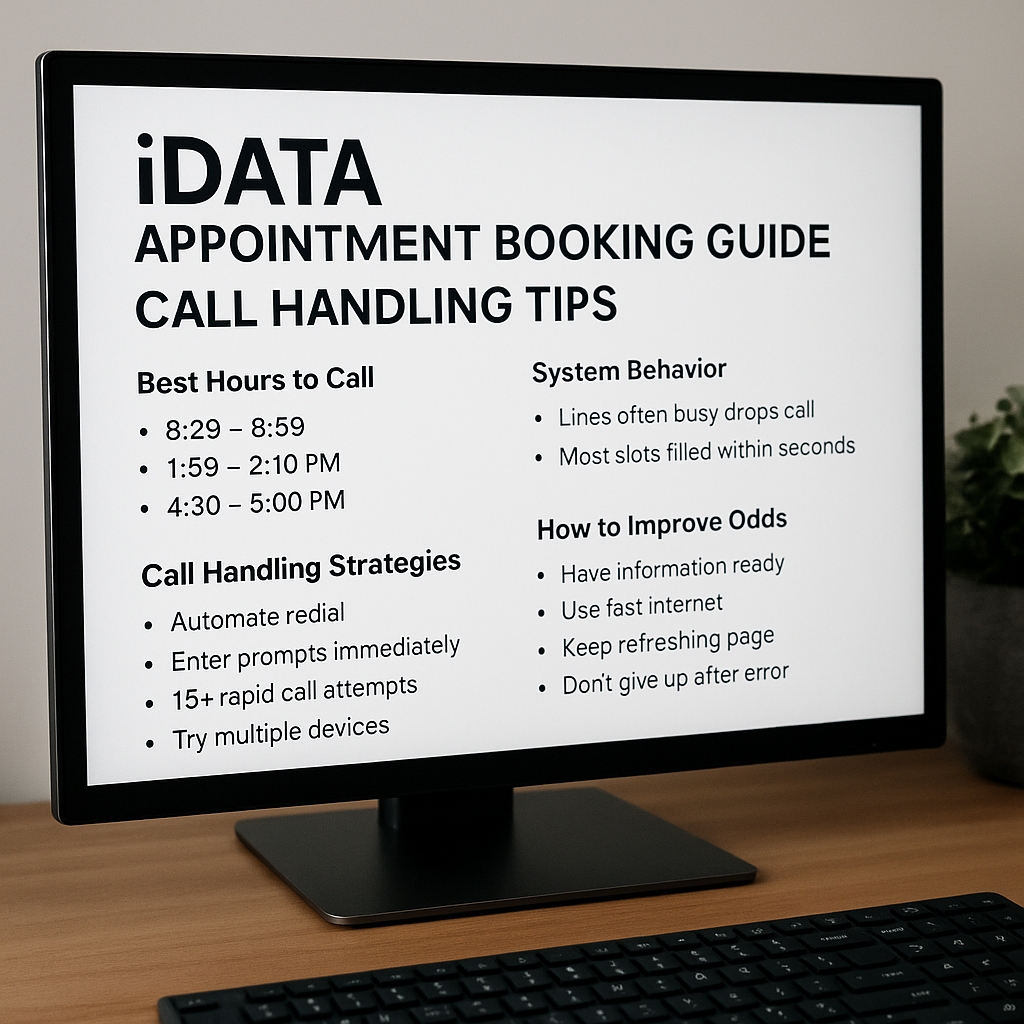
Finding an appointment for an Italian visa can take time. Start with the right application category and the current instructions of the competent authority. This guide explains official booking channels and practical preparation for students. Receiving an appointment does not mean a visa will be issued: the consulate assesses the application and makes the decision.
1. Identify the correct visa and consular district
Use the actual purpose and length of your stay. A short visit and a long university course require different categories. Do not change a genuine study application into a tourist application merely because an earlier slot appears. An unsuitable category can create problems with the appointment and the documents accepted.
Select an application centre according to the rules of the Italian mission responsible for your place of residence. The Italian Consulate General in Istanbul states that applications must be submitted in the district where the applicant resides. A vacant appointment in another city does not establish eligibility to apply there. If you have moved or have a different legal residence situation, confirm jurisdiction through the official channel first.
2. Begin with the current iDATA Italy website
Open the official iDATA Italy page and read the registration, appointment and document instructions for your category. Enter personal details exactly as shown in your passport. Use an email account you control, complete any verification requested by the system and check the spam folder. Keep application references, payment receipts and appointment confirmations securely.
Do not assume that a telephone number or an old blog link remains the correct channel. Recheck contact details on iDATA and the competent consulate's website before using them. Read applicable fees and cancellation or amendment conditions before completing a transaction. Treat a booking as confirmed only when the official system provides confirmation.
3. Istanbul's special notice for 2026/2027 university enrolment
The Istanbul Consulate's notice of 6 August 2026 says that students whose Universitaly pre-enrolment has been properly approved by the university and transmitted to the Consulate will receive an email from iDATA explaining how to obtain a “Study – University Enrolment” visa appointment. The email address declared in Universitaly is used. If you are waiting for this message, check that the university approval is complete and that your email address is correct.
The same notice gives 30 November 2026 as the deadline for obtaining appointments for the 2026/2027 academic year. Programmes not requiring Universitaly registration, including language courses, exchanges, mobility and other specified programmes, follow the separately described booking process. These dates and procedures concern Istanbul's stated academic year and categories; do not automatically apply them to other missions or future years.
4. What to do when no appointment is displayed
A “no available dates” message does not reveal a secret release hour or priority formula. Follow official announcements. For a technical error, record the message, date and relevant category and contact official support without exposing unnecessary personal data. Automated calling, incessant refreshing and sharing account passwords with strangers are unreliable responses. There is no verified official basis for claiming that repeated calls move an applicant to the front or produce a particular success rate.
If your course is approaching, ask the university in writing about late arrival or enrolment options. Request exceptional or urgent handling only under conditions published by the competent authority. A university letter does not guarantee appointment priority or a visa. Consider the financial implications before buying non-refundable travel on the assumption that an unconfirmed appointment will become available.
5. A practical pre-appointment check
- Verify passport details, visa category, residential jurisdiction and email address.
- Read the current document list, including translation, certification and original/copy requirements.
- Check the location, date and official confirmation; use the official system to cancel or amend.
- Keep your application tracking reference and answer additional-document requests within the stated period.
Early preparation reduces avoidable errors. It cannot guarantee booking capacity or the visa decision. Recheck official instructions before submitting your application.
Official sources
Formatting reviewed:
The text and images were adapted to this reading layout. This does not mean the information has been checked again for accuracy or current validity.
Last content revision:
View original publication